

Introduction: The Desktop DIY Space Problem
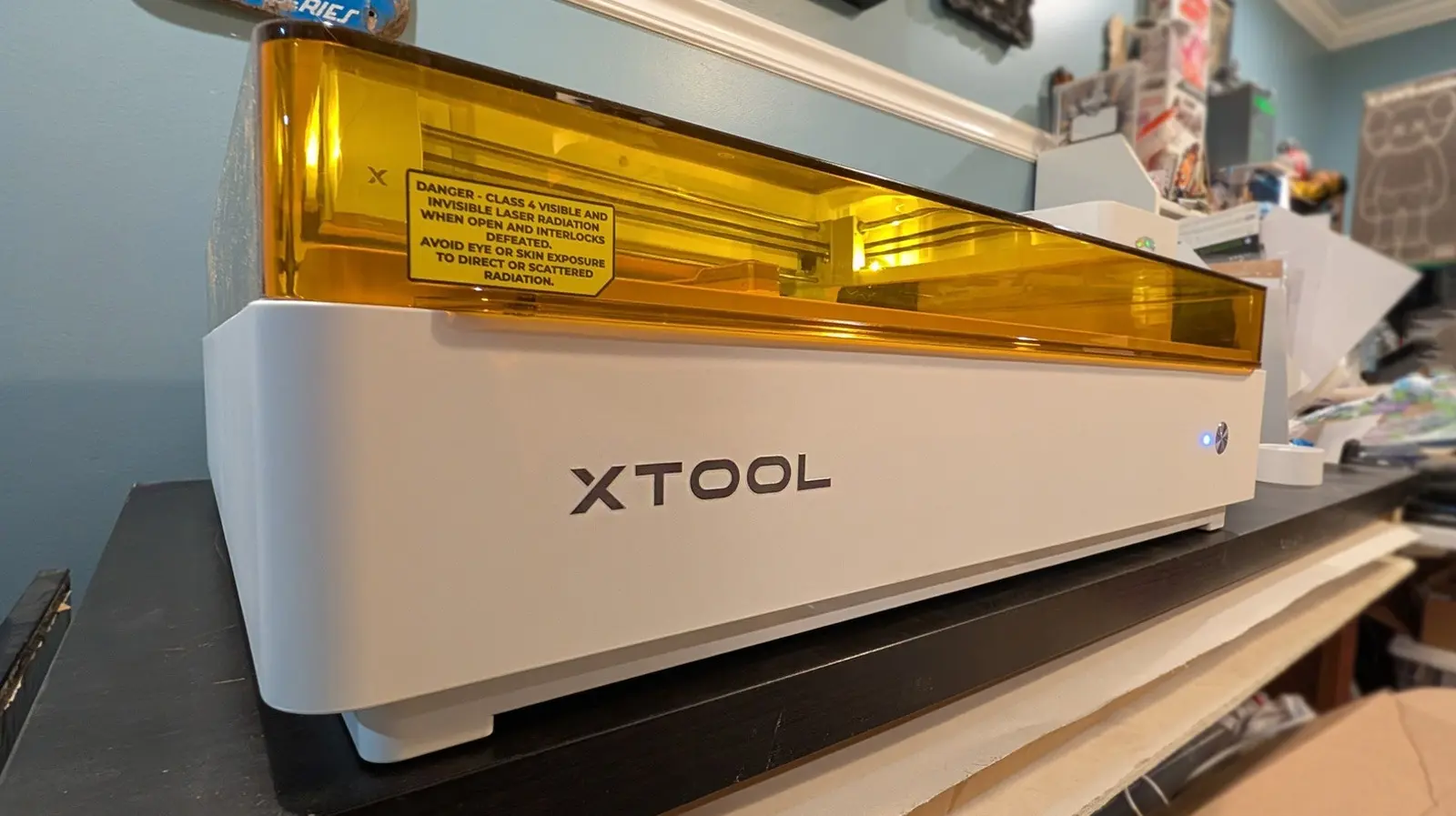
The xTool M2 is a versatile creative tool that allows its user to laser cut and print with multiple colors of ink. It is the latest in a line of similar creative tools from the brand, following the xTool M1 Ultra released in 2024. The M1 Ultra is more expensive and slightly more versatile in key areas such as pen drawing and foil transfer. This new device is excellent in its own right for printing and cutting certain materials, and it is built well, functioning with all features advertised on the product page. It sits as an in-between device balancing features, size, and cost.
However, one of the biggest challenges for DIY enthusiasts is the ever-shrinking workspace. Each sizable gadget occupies valuable desk or workbench real estate, and storing machines when not in use is not always feasible. Like a kitchen filled with countertop appliances, a creative workshop can quickly become cluttered. The xTool M2 aims to solve this by combining multiple tools into one unit, thereby reducing the footprint of otherwise separate machines. But does it go far enough? This article examines its space-saving capabilities, setup, printing performance, modularity, and overall value.
Space-Saving and Setup
Both the M1 Ultra and the M2 occupy approximately the same desk space. The M1 Ultra measures 24.4 x 19.6 inches, while the M2 is 24 x 22.4 inches. Both are 7 inches tall with the top closed. Inside, the M2 offers a slightly larger processing area: 16.7 x 12.5 inches compared to 11.8 x 11.8 inches in the M1 Ultra. While both machines take up substantial room, the difference is minimal. For users who previously needed separate laser cutters and inkjet printers, either xTool M-series device significantly reduces the overall footprint.
Setup is straightforward. The xTool M2 uses quick-swap modules attached magnetically. Switching modules requires unplugging a USB-C cable, removing one module, attaching another, and reconnecting the cable. This simple magnetic system means the M2 cannot use tools requiring physical pressure, such as pens, foil transfer tips, or blades—those are reserved for the M1 Ultra. The M2 is thus ideal for laser cutting and ink printing, but not for drawing or cutting with blades.
Which Space Are We Saving?
For users needing laser cutting with 10W and 20W blue diode lasers and a 3W IR laser, the M2 can be a 3-in-1 device. The base package ships with a 10W laser, and optional bundles include additional modules. Early tests show the 10W laser performs flawlessly on a variety of materials. The device also supports inkjet printing, but this is not a traditional document printer—there is no paper feed or rollers. It prints on materials like paper, cardstock, temporary tattoo paper, and pre-treated wood, canvas, glass, acrylic, and satin fabric. However, all prints are water-soluble, so fabric prints will not survive washing. The M2 uses a proprietary $99 40ml ink cartridge, larger than the M1 Ultra's 15ml cartridge. Color controls are basic, so it is not suitable for museum-quality photo prints.
Price, Availability, and Versatility
The xTool M2 starts at around $550 for the base 10W laser module. A color print and cut bundle with the CMYK ink module costs $700. In comparison, the xTool M1 Ultra launched at $900 for a base package that includes a 10W laser, ink module, foil transfer tip, rotary blade, fine-point blade, cutting blade, and pens. The M1 Ultra was released on July 11, 2024, and likely will not remain in production much longer. Buyers deciding between the two should consider that the M1 Ultra offers more physical tools but at a higher price, while the M2 focuses on laser and ink printing with a modern, simplified module system.
Software and Ecosystem
One major advantage of xTool over competitors like Glowforge is its desktop software, xTool Studio. This app works offline and does not require an internet connection or web browser. It is user-friendly, powerful, and free from the restrictions of cloud-only platforms. For those who value privacy and offline operation, xTool Studio is a significant selling point. The M2 integrates seamlessly with this software, allowing users to design and execute projects without internet dependency.
Longevity and Future-Proofing
While the xTool M2 is a capable machine with its current toolset, the modular approach has limitations. Each M-series device uses modules specific to that generation, meaning future upgrades may require a new machine. xTool has not yet announced a next-generation Ultra model that would combine all advanced features. The M2 supports 10W and 20W blue diode lasers and a soon-to-be-released 3W IR laser, while the M1 Ultra also supports 20W but the module is now sold out. The company likely will not manufacture parts for the M1 Ultra indefinitely, reinforcing the M2 as the current flagship. Nonetheless, the M2's lack of physical pressure tools limits its versatility compared to the M1 Ultra.
The xTool M2 does not completely solve the desktop workspace problem, but it is a step in the right direction. It reduces the number of machines needed for laser cutting and ink printing, saving desk space compared to separate devices. However, it sacrifices some functionality found in earlier models. The M-series platform is evolving, and a future Ultra version may bridge the gap between simplicity and full-featured capability.
Source: SlashGear News