

There is a specific kind of guilt that comes with a cloud storage account that has gone untouched for more than a decade. It sits there, quietly accruing gigabytes, while you promise yourself you will deal with it next weekend. Then 14 years pass.
That was the state of my Google Drive: roughly 340GB of documents, spreadsheets, slide decks, PDFs, screenshots, tax filings, and downloads, most of it accumulated since the account was first created. Add nearly 40,000 photos sitting in a separate cloud photo library and a handful of overlapping subscriptions, and the monthly bill starts to feel less like a convenience and more like a tax on indecision.
The Economics of Digital Hoarding
The free tier of Google's consumer storage is 15GB, shared across Drive, Gmail, and Photos. For someone with hundreds of gigabytes of professionally generated documents, that ceiling is not an aspirational target. It is a fantasy. There is no plausible sequence of productive afternoons in which that data shrinks by 95 percent without a radical change in behavior or tooling.
So the subscriptions multiply. A 5TB Google AI plan runs about $20 a month and bundles Gemini access. A 2TB iCloud plan adds another $10. A separate AI chatbot subscription tacks on $20 more. Individually, each charge is defensible. Together, they form a $50-a-month habit that is easy to ignore and hard to justify to anyone who looks at a bank statement carefully.
The obvious move is to cancel something. The hard part is figuring out what. Dropping the chatbot is painful because it gets used daily. Dropping the cloud plan means either deleting data or migrating it, and migrating 340GB across ecosystems is exactly the kind of project that gets postponed indefinitely.
What was actually needed was not another subscription. It was a way to make the existing data smaller, more findable, and less intimidating.
Why Third-Party AI Cleanup Tools Felt Too Risky
The first instinct was to look outside the ecosystem. Surely some third-party AI service could connect to a Drive account, scan everything, and reorganize it with a few clicks. Several such tools exist, and some of them are genuinely clever.
Then reality intervened. A Drive account is not just a pile of memes and old screenshots. Mine contains a house deed, a copy of a will, business registration documents, and years of financial records. Handing a random startup broad, persistent access to that collection in exchange for tidier folders is a trade that becomes harder to justify the longer you think about it.
That left the possibility of a first-party tool built by the storage provider itself, operating inside the same trust boundary as the files. Which is exactly what Google quietly shipped.
Organize My Files Arrives, Quietly
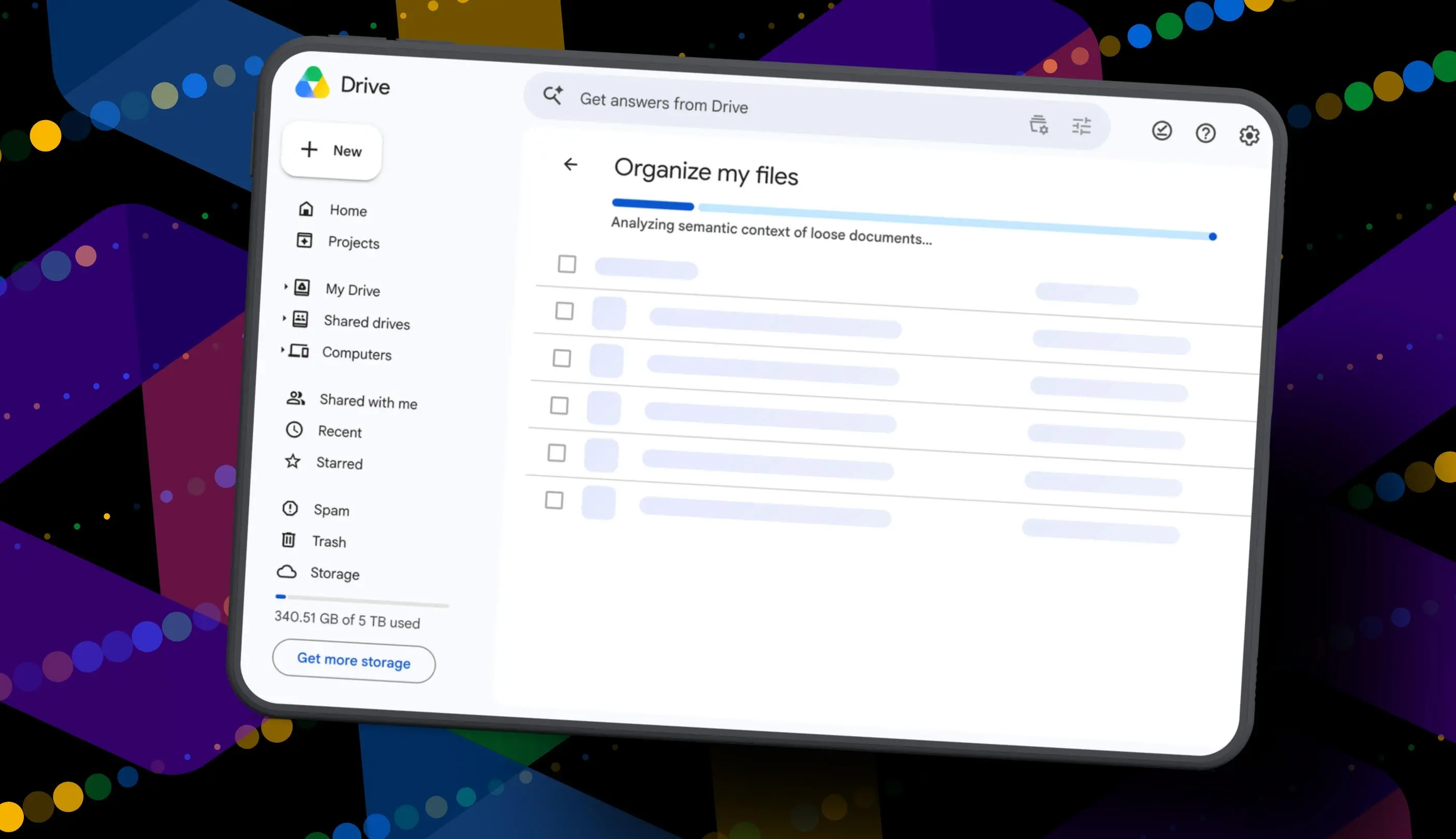
Google's "Organize My Files" feature uses Gemini to analyze loose files in Drive and propose either moving them into existing folders or creating new folders for related clusters of files. Crucially, nothing moves automatically. Every suggestion is presented for review, and the user retains full control over what gets approved.
There are, however, meaningful gates. The feature is currently limited to Google Workspace accounts and Google AI subscribers, and Workspace smart features must be enabled for the button to appear in Drive at all. That means the people most likely to benefit from automated cleanup, namely free-tier users drowning in 15GB of accumulated clutter, are precisely the people who cannot access it.
How the Tool Works, Step by Step
1. Open Google Drive
Log into a Google account, open Drive in a browser, and navigate to "My Drive." The feature is browser-based for now and does not appear in the same form on mobile.
2. Click Suggest File Moves
Near the top of the file and folder list, a button labeled "Suggest File Moves" appears. Google has said it surfaces both in My Drive and inside parent folders, which theoretically allows users to drill into subfolders and get context-aware suggestions for each one.
Clicking it opens the Organize My Files panel, where Gemini begins analyzing loose files and generating cleanup recommendations. The analysis takes roughly a minute for a large account.
3. Review Gemini's Suggestions
Recommendations arrive in two flavors. The first is a proposed move of existing files into folders that already exist. The second is a proposal to create entirely new folders for groups of related files. Every file and folder in a suggestion can be previewed through a hovercard or opened in a new tab for a closer look before committing.
This review step is the most important part of the design. It keeps a human in the loop and prevents an AI hallucination from quietly relocating a legal document into a folder called "Misc 2024."
4. Approve the Changes
Checkboxes allow individual files and folders to be selected or deselected. Suggested folder names can be renamed if they are awkward or unclear, and destination folders can be changed if the AI guessed wrong. Once the selection looks right, approving the batch executes every move at once and returns the user to My Drive.
The Results: 19 Suggestions for 340GB
After the analysis finished, Gemini proposed 19 moves. Nineteen. Against a Drive containing years of clutter distributed across potentially thousands of folders, that is a rounding error.
Worse, the suggestions skewed heavily toward recency. Nearly everything Gemini surfaced was a file created or uploaded in the past several months, which is precisely the data least in need of rescue. The genuinely buried material, years-old drafts, orphaned downloads, duplicate exports, never came up.
Some suggestions were sensible. Gemini correctly identified a resume and a couple of resumes created for family members and proposed consolidating them into an existing resume folder. It suggested a new "Family and Real Estate" folder for property documents, and a "Travel Planning" folder for upcoming summer trip itineraries.
Then it grouped a file literally named "Delete" into the Travel Planning folder. That document was so named because it was marked for deletion. The AI did not recognize the intent, did not flag it as trash, and did not suggest removing it. It simply filed it alongside the itineraries.
Running It Twice Revealed a Bigger Problem
The changes were approved anyway, since even marginal improvement beats none. Then the tool was run again out of curiosity, on the freshly reorganized Drive.
Thirty seconds later, Gemini returned the exact same list: the same file moves, the same new folders, the same recommendations for files that had just been moved into those folders moments earlier. The tool appeared not to register that its own suggestions had already been executed.
That behavior points to a shallow scan rather than a persistent understanding of the Drive's structure. A genuinely useful assistant would learn from previous passes, remember which suggestions were accepted or rejected, and progressively work deeper into the backlog. Instead, it repeats itself.
What a Real AI Cleanup Assistant Would Need
The gap between what shipped and what users in this situation actually need is wide, and it is instructive to spell out.
- Age-aware prioritization. A cleanup tool should start with the oldest, least-touched files, not the newest. Recency bias makes the output feel cosmetic.
- Trash recognition. Files named "Delete," duplicates, expired drafts, and stale exports should be flagged for removal or archival, not filed neatly into folders.
- Cross-folder awareness. Asking users to run the tool in a thousand different parent folders and hope for fresh results each time is not a workflow. It is a chore.
- Memory between sessions. An assistant that forgets its own accepted suggestions within 30 seconds cannot build trust.
- Storage impact estimates. Users trying to shed terabytes care about how much space a cleanup actually reclaims. Number of moves is a poor proxy.
- Access for free-tier users. The people with the most painful storage problems are gated out of the tool designed to solve them.
An Industry-Wide Problem, Not Just One Product's
It is worth noting that this pattern is not unique to a single feature. Across the productivity software industry, AI assistants are being bolted onto file management, email, and note-taking with impressive demos and underwhelming depth. The models are capable of summarizing and classifying, but most implementations still lack the persistent memory and structural understanding required to manage a decade of accumulated personal data.
Cloud storage in particular is a hard problem because the value of a cleanup is inversely proportional to how easy it is. Someone with 20 files needs no help. Someone with 300,000 files needs so much help that a tool proposing 19 changes is effectively offering nothing.
There is also a real privacy architecture question underneath all of this. Users are being asked to let AI models crawl personal documents, legal records, and financial files in exchange for organizational convenience. That bargain only makes sense if the results are transformative. When the output is 19 suggestions for 340GB of data, the calculus flips quickly.
Where This Leaves the Subscription Math
Because the cleanup was so limited, the underlying problem remains untouched. The Drive is still messy, the storage total is still somewhere in the neighborhood of 340GB, and the monthly plan still renews at around $20 for 5TB of space that is mostly filled with files nobody can find.
The tool did just exit beta, and it is entirely possible that Google will deepen how Gemini scans Drive, prioritize older content, recognize obvious trash, and surface more aggressive organization suggestions over time. The architecture supports it. The current implementation simply does not deliver it yet.
What the experience makes clear is that automated file organization is one of the more genuinely useful applications for AI in productivity software, and one of the hardest to do well. It requires more than a language model that can read a filename and guess a category. It requires memory, hierarchy awareness, deletion judgment, and a willingness to touch the oldest and most neglected corners of an account rather than the newest and cleanest ones.
Until a tool does those things, the mess stays. So does the recurring charge.
Source: ZDNET News