

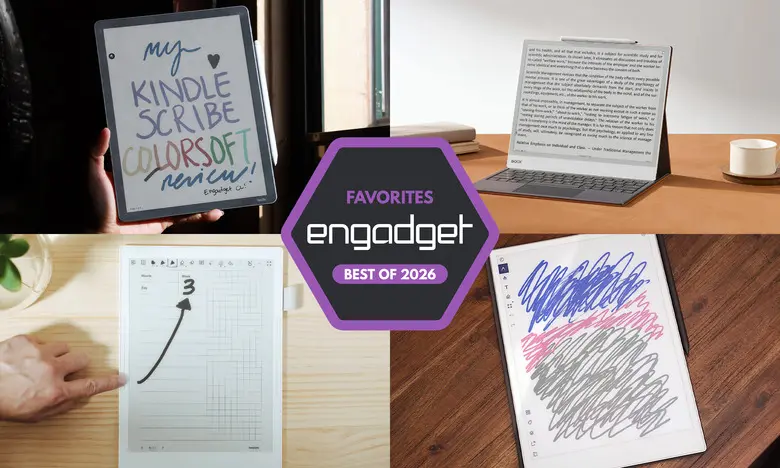
Key facts at a glance
- Best E Ink tablet for most people: reMarkable 2 ($399)
- Best premium E Ink tablet: reMarkable Paper Pro ($629)
- Best e-reader E Ink tablet: Amazon Kindle Scribe ($430-$630)
- Best E Ink tablet for writing and note-taking: Supernote A6 X2 ($329)
- Another color-display option: Onyx Boox Note Air4 C ($529)
- Big-screen option: Onyx Boox Note Max ($689)
- Honorable mentions: reMarkable Paper Pro Move ($449) and Kobo Libra Colour ($229)
E Ink tablets have moved far beyond simple e-readers. They now offer color screens, front lights, handwriting conversion, cloud sync, and even Android app support. For people who love writing by hand but want the convenience of digital storage, these devices can replace stacks of notebooks while still feeling close to pen and paper.
The best E Ink tablets for 2026 were chosen after hours of hands-on testing. The most important criteria were writing feel, latency, reading support, file compatibility, battery life, and overall ease of use. Price was also a major factor because most E Ink tablets now fall in the $300 to $800 range.
reMarkable 2: Best E Ink tablet for most people
The reMarkable 2 is not the flashiest or most feature-packed E Ink tablet, but it offers the best balance of writing quality, software, and design for most people. Its 10.3-inch monochrome display sits in a body that weighs less than one pound. The tablet uses a beige-bezel design with a slim silver edge for attaching accessories such as folio covers and the optional Type Folio keyboard.
The writing experience is excellent. Both the standard Marker and the Marker Plus are pressure- and tilt-sensitive, require no charging, and attach magnetically. Latency is impressively low, making writing feel almost identical to using a real pen on paper. The reading experience is also strong for documents, especially PDFs and EPub files. Users can send files through the reMarkable desktop app, mobile app, Google Drive, Microsoft OneDrive, or Dropbox. A Google Chrome extension also lets readers send online articles directly to the tablet for later markup.
Organization tools include notebooks, quick sheets, folders, and tags. There are eight brush types with adjustable thickness and shades. Handwriting can be converted into typed text with good accuracy. The simple interface remains one of the easiest to learn among E Ink tablets, which is a big selling point for people who do not want to tinker with complicated settings.
The main drawbacks are the cost and the subscription model. The tablet starts at $399 with the standard Marker. Advanced note sync, editing on mobile apps, and unlimited cloud storage require a Connect subscription after a free trial. The subscription costs $3 per month or $30 per year, which could be a deal breaker for some. Even so, for a distraction-free writing device with a low learning curve, the reMarkable 2 is still the top recommendation.
reMarkable Paper Pro: Best premium E Ink tablet
The reMarkable Paper Pro builds on everything that made the reMarkable 2 successful. It has a larger 11.8-inch display, a faster processor, 2GB of RAM, 64GB of storage, and a newly refined design. The screen uses a modified E Ink Gallery 3 technology called Canvas Color, which can display roughly 20,000 colors. That makes it possible to highlight documents with color, draw in multiple hues, and see book covers or PDFs with proper visual context.
The performance upgrade is noticeable. Page refreshes are faster, pen latency is reduced to roughly 12 milliseconds, and the interface feels much zippier. The tablet is only 5.1mm thick, close to the size of a legal pad, and the premium build quality is evident in its grooved edges and solid feel. A backlight has also been added, so writing and reading in low-light environments is no longer a problem.
Software remains intentionally minimalist. There are no web browsers or social media apps to distract users. Instead, the Paper Pro focuses on notebooks, PDF annotation, EPub reading, and document organization. The optional Connect subscription still applies, but the larger internal storage means some users may not need cloud sync.
At $629, the Paper Pro is expensive. It is best for people who want a premium, large-screen E Ink notebook and are willing to pay for the improved color experience. For anyone who already owns a reMarkable 2, the upgrade is tempting but not essential. For first-time buyers with a larger budget, the Paper Pro is a wonderful luxury option.
Amazon Kindle Scribe: Best e-reader E Ink tablet
The latest Kindle Scribe is the best option for people who buy most of their books from Amazon. This 11-inch E Ink tablet has a refreshed design with uniform bezels, a faster processor, and an improved front-light system. The included Premium Pen is comfortable and charges magnetically by attaching to the side of the tablet.
Writing performance is excellent. Latency is very low, and navigating the interface feels faster than on previous Scribe models. Users can create notebooks, take sticky-note style annotations inside Kindle books, and mark up PDFs. For Kindle books, underlining and highlighting in gray work well, but freehand annotations are more limited because the layout can shift to make room for drawings.
The Kindle ecosystem is the main reason to choose this device over others. Any content purchased from the Kindle store, including audiobooks via Bluetooth, is available immediately. Amazon also added an AI Search tool that can summarize and search handwritten notes, although its accuracy varies. The helpful Home page gives one-tap access to Quick Notes, recent titles, and recent notebooks.
The Scribe family now includes three models: a $430 base version without a front light, a $500 version with the upgraded front-light system, and a $630 Colorsoft model with a color display. The base model is not recommended for anyone who reads at night. For a large-screen e-reader that also works as a digital notebook, the $500 model is the sweet spot. The Scribe still cannot write in the margins of every Kindle book, but for Amazon loyalists it is the best E Ink tablet available.
Supernote A6 X2: Best E Ink tablet for writing and note-taking
Supernote has long been a favorite among notebook enthusiasts, and the A6 X2 continues that tradition. This 7.8-inch tablet is compact, lightweight, and designed for maximum writing comfort. The FeelWrite 2 screen protector feels smoother than most E Ink writing surfaces, and the included pen options require no charging. It also supports a wide range of file formats, including PDF, EPub, Word, PNG, JPG, and CBZ.
What makes Supernote special is its note-taking software. Users can create notebooks from built-in page templates or import their own templates through a dedicated MyStyle folder. The tablet supports keyword searching in handwritten notes, handwriting recognition, stars, and bookmarks. A lasso tool can select handwritten words and convert them into typed text for later searching. The interface is clean but still somewhat tinker-friendly, so expect a small learning curve.
Two screen sizes are available. The A6 X2 Nomad has a 7.8-inch display and costs $329, while the newer Manta A5 X2 has a 10.7-inch display and costs $505. Pens are still sold separately, starting around $89, which adds to the overall price. Neither model has a front light, so writing is best done in good lighting. For people who want a truly customizable handwriting tool and do not mind the added cost of a pen, the Supernote is unmatched.
Onyx Boox Note Air4 C: Another color-display option
The Onyx Boox Note Air4 C is a 10.3-inch Android E Ink tablet that combines color, flexibility, and a large display. It runs Android 13 with access to the Google Play Store, meaning users can install Kindle, Kobo, Pocket, or any other reading and writing app. It has 64GB of storage, 4GB of RAM, and connects to Wi-Fi and Bluetooth. A stylus is included in the box.
Writing on the Note Air4 C feels responsive, with low latency and plenty of brush options. The color screen allows users to save multiple colored brushes and switch among them quickly. There are also note templates, shape tools, voice recording, and an AI handwriting recognition feature that translates entire pages into text. Users can share notes as PDFs or PNGs through email, Google Drive, and other services.
Being an Android tablet makes this one of the most versatile E Ink devices available. It can run email apps, web browsers, and video services, although the E Ink screen is not well suited for watching videos. The bigger benefit is the ability to use apps that access different ebook stores. For anyone who owns books from multiple retailers, the Note Air4 C is a powerful choice.
The main downside is its price. A bundle with the tablet, stylus, and folio case costs around $529. The user interface can also be overwhelming for people who are new to Android E Ink devices. Still, for those who want a color E Ink tablet with access to a full Android app library, the Boox Note Air4 C is an excellent pick.
Onyx Boox Note Max: A big-screen option
The Onyx Boox Note Max stands out with a huge 13.3-inch E Ink Carta 1300 display. That makes it roughly the size of A4 paper, ideal for people who prefer large notebooks, academic papers, sheet music, or split-screen reading and writing. The display is sharp and highly responsive, with 300 dpi and very low pen latency.
Beyond the screen, the Note Max runs Android 13 and ships with 128GB of storage. The included stylus and magnetic cover add value, since many competitors charge extra for those accessories. A native app called Calendar Memo lets users tap on any day in a month view and take notes directly in that date slot. Books opened and notes written on a given day can also be logged together, creating a useful daily archive.
The Note Max is not cheap at $689, and it does not have a front light. That means users need good ambient light to read or write comfortably. The Android software also feels less polished than the reMarkable interface. Still, for researchers, students, or anyone who has always wanted a giant legal-pad-sized E Ink notebook, the Note Max is a compelling choice.
Honorable mentions
reMarkable Paper Pro Move
The reMarkable Paper Pro Move is essentially a compact version of the Paper Pro with a 7.3-inch Canvas Color display. It costs $449 and includes a stylus. The screen is slightly smaller than the Supernote A6 X2, but the hardware feels just as premium. It is not a full e-reader, since it only supports PDF and EPub files, but it is excellent for handwritten notes, field work, and quick document markup. The smaller size makes it much more portable than the full-sized Paper Pro, though the price is still high for a small tablet.
Kobo Libra Colour
The Kobo Libra Colour adds color and stylus support to a dedicated e-reader. Its seven-inch screen is smaller than the Kindle Scribe, but it has physical page-turn buttons, warm front lighting, and support for writing in the margins of any ebook. The Kobo Stylus is sold separately for around $70. With the stylus included, the total cost is around $300, which undercuts the base Kindle Scribe. The Kobo ecosystem is not as large as Amazon's, but for people who prefer Kobo and want color, this is a strong alternative.
Are E Ink tablets worth it?
E Ink tablets are not for everyone. They are worth considering for people who want a paper-like writing experience, a distraction-free digital workspace, or a screen that is gentle on the eyes. Traditional tablets like the iPad offer far more app compatibility and multimedia features. However, those devices also make it easier to get distracted by email, social media, and games.
E Ink screens have inherent limitations. They update slowly, do not handle video well, and cannot reproduce the vivid colors of LCD or OLED panels. Even the best color E Ink screens look muted when compared with standard tablet screens. This is not a flaw for reading and writing, but it means an E Ink tablet should not be viewed as a full replacement for a general-purpose tablet.
What to look for in an E Ink tablet
Writing and latency
The writing experience is the most important factor. A good E Ink tablet should have low-latency input and a screen texture that feels comfortable for extended sessions. Check whether the stylus is included. Some tablets, such as the reMarkable 2 and Supernote A6 X2, sell pens separately, which can add $80 to $130 to the total cost.
Reading support
E Ink tablets range from seven to over thirteen inches. Larger screens are generally better for writing, but they can be less comfortable to hold while reading. File format support matters a great deal. Amazon and Kobo devices work best with their respective ebook stores. Android-based tablets can use multiple reading apps, while closed systems like the reMarkable only support PDF and EPub with manual upload options.
Search and handwriting recognition
Searching handwritten notes can be done through keyword tags and handwriting recognition. Some devices, like the Supernote and the Boox series, convert handwriting into typed text with surprising accuracy. Others, like the Kindle Scribe, are more limited. Think about how much note retrieval matters before making a decision.
Connectivity and cloud features
Most E Ink tablets support Wi-Fi and some form of cloud sync. Companion apps make it possible to export notes to email, Google Drive, Dropbox, or OneDrive. No E Ink tablet currently integrates seamlessly with Evernote or OneNote, so users who rely heavily on those applications should keep that in mind. Battery life is generally measured in weeks, but features such as front lights and color displays will reduce it.
Price
E Ink tablets are not cheap. Prices range from roughly $300 to $800. Recent years have seen price increases across the industry because of rising component costs. The reMarkable Paper Pro, for example, now costs $629, up from its original launch price. Stylus and case accessories can add another $100 to $200. Set a budget that includes the necessary accessories.
Other E Ink tablets we have tested
Onyx Boox Tab X C
The Boox Tab X C is a color version of the Tab X with a 13.3-inch Kaleido 3 screen, octa-core processor, 6GB of RAM, and Android 13. It is one of the most powerful E Ink tablets available and supports a folio keyboard case. The bundle costs about $820, making it too expensive for most people, but if budget is not an issue, it delivers a premium large-screen experience.
Lenovo Smart Paper
The Lenovo Smart Paper has solid hardware and a good writing feel, but its software is less flexible than competing devices. It relies heavily on Lenovo's companion cloud service, which carries a subscription cost in some markets. For most users, the reMarkable 2 offers a better overall experience for less money.
Onyx Boox Tab Ultra
The Boox Tab Ultra is an E Ink Android tablet designed for all-purpose use, including web browsing, email, and even video. It can work with a magnetic keyboard case, turning it into a low-powered 2-in-1 laptop. While its versatility is impressive, traditional tablets and laptops offer better performance for multimedia tasks. The Tab Ultra is best suited to people who want reading and eye comfort to take priority over everything else.
E Ink tablets are no longer a niche curiosity. The 2026 lineup includes something for almost everyone: focused writing tools, full-featured e-readers, large-screen research companions, and Android-based productivity tablets. Identifying what kind of reader and writer you are is the first step to choosing the right device.
Source: Engadget News