

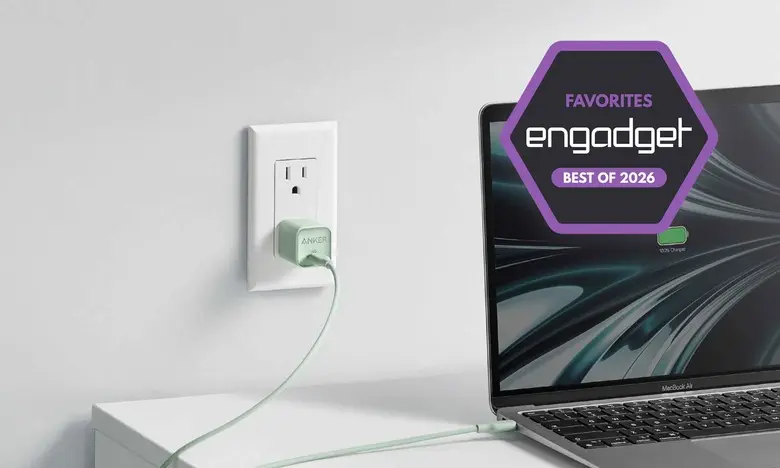
Fast charging has become a necessity rather than a luxury. With smartphones, tablets, laptops, earbuds, smartwatches, and countless other gadgets competing for the same wall outlets, a single slow charger can turn an otherwise productive day into a series of frustrating waits. Modern fast chargers are designed to handle a wide range of devices simultaneously, but choosing the right one requires a closer look at power levels, port configurations, and charging protocols.
This guide brings together the key facts you need to know before buying a fast charger in 2026. We will cover what to consider, how GaN technology has changed the market, why USB Power Delivery (USB PD) matters, and how to avoid damaging your devices over time. If you are in the market for a new wall charger, this overview will help you cut through the noise and select a model that fits your specific devices and travel habits.
Why fast chargers are more important than ever
Many device manufacturers have stopped including power bricks in the box. This change started with smartphones and later spread to tablets, laptops, and even some earbuds. As a result, consumers need to provide their own adapters. A dedicated fast charger does more than just deliver a high wattage number; it also communicates dynamically with the connected device to select a safe and optimal voltage and current. The right charger can make the difference between a 10-minute top-up before a meeting and a battery that remains undercharged all day.
Modern families often have a mix of devices using different connectors. A single fast charger with two or three USB-C ports and perhaps one USB-A port can replace several older bricks. This reduces clutter and ensures that all your gear gets enough power, whether it is a USB-C laptop that needs up to 100 watts or a pair of wireless earbuds that only draws a few watts. Many of today's best fast chargers also support trickle charging for low-power accessories, so you don't have to worry about damaging small devices.
What to consider before buying a fast charger
Before you start browsing product listings, you need to answer three fundamental questions: how many devices do you plan to charge at once, how much power do those devices require, and will you be taking the charger on the road? If you only need to charge a single smartphone, a compact 20W or 30W adapter is perfectly adequate. But if you frequently juggle a laptop, phone, and smartwatch, a multi-port desktop charger is more convenient.
Understanding your devices' electrical needs is also crucial. Most manufacturers list maximum charging speeds in their specifications. For smartphones, this can range from 15W to well over 100W. Laptops often need between 45W and 140W, while tablets generally fall in the 20W to 45W range. If you buy a charger that promises more power than your device can accept, the charging session will simply default to the device's maximum supported speed. On the other hand, a charger that is too weak will not keep up with a demanding device during heavy use.
It is also important to think about the physical size and weight. Larger power bricks can deliver more total wattage, but they may not be ideal for travel. Frequent fliers should look for compact GaN chargers that offer folding prongs and support for multiple international plug standards. If you already carry a power bank or a charging station, choosing a lightweight adapter helps cut down on overall bag weight. Some new fast chargers are even small enough to attach directly to the side of a laptop charger block, but dedicated adapters remain the most flexible solution.
Ports and power distribution
The number of ports on a charger matters, but so does the way power is shared. A 65W dual-port charger may deliver 65W through one USB-C port, but when both ports are in use, it might split the output into 40W and 25W. That is still enough for a laptop and a phone simultaneously, but the specific combination depends on the charger's internal power management system. Some high-end chargers intelligently prioritize the port that requests energy first, while others provide fixed allocations.
Newer USB-C chargers often support Programmable Power Supply (PPS), a feature that allows compatible smartphones to optimize their charging profiles. PPS-enabled chargers can adjust voltage and current in real time, which helps reduce heat and improve battery longevity. If you own a Samsung Galaxy phone, a Pixel device, or other recent Android flagships, choosing a charger with PPS support can dramatically improve charging speeds compared to a generic USB-PD adapter.
For users with older accessories that rely on Lightning cables, a USB-A port can be quite handy. Although USB-A is considered an older standard, many people still have cables for headphones, cameras, fitness trackers, and other gear. Having one USB-A port alongside two USB-C ports offers broad compatibility, but the USB-A output is usually limited to 12W or 18W, which is fine for smaller devices.
The role of GaN technology
One of the biggest innovations in recent years is gallium nitride (GaN) technology. Traditional chargers rely on silicon switches, which generate significant heat and require larger heatsinks and transformer assemblies. GaN-based chargers use a compound semiconductor that can handle higher voltages and temperatures with less energy loss. As a result, GaN chargers can be roughly 30 to 50 percent smaller and lighter than equally powerful silicon-based adapters.
Beyond size, GaN chargers run cooler, which reduces the risk of overheating and helps protect the connected devices. A cooler charger also maintains its rated output for longer periods, making it more reliable for high-power laptops and tablets. In 2026, most high-quality multi-port fast chargers use GaN technology. If you see a charger that is surprisingly small for its wattage, there is a good chance it uses GaN internally.
The shift to GaN has also opened the door to higher power density. Where a 100W silicon charger was once a large, heavy brick, a 100W GaN charger can be slightly bigger than a deck of cards. This makes it feasible to carry a single 100W charger in a laptop bag and use it to power a MacBook, an iPad, a phone, and earbuds at the same time. Charging hubs designed for desk use often include four or five ports, with a total output of 200W or more.
Understanding charging standards and compatibility
Most modern gadgets support USB Power Delivery, which is a universal standard for fast charging over USB-C. USB PD negotiates the power level between the charger and the device, allowing a 100W charger to safely charge a phone that only draws 20W. The specification has evolved over the years, and USB PD 3.1 extends the maximum power to 240W using Extended Power Range (EPR). However, the majority of today's laptops and phones still operate within the original 100W limit.
Some manufacturers, such as OnePlus and Oppo, have proprietary fast-charging protocols that can deliver more power than standard USB PD. For example, the OnePlus 13 with its included SuperVOOC adapter can send up to 100W to the phone. If you use a generic USB-PD charger instead, speeds will top out at around 45W, which is still decent but noticeably slower. This is an important consideration if you have a smartphone with an exotic vendor-specific protocol. The lesson is to check whether your device requires proprietary technology to reach its rated peak charging speed.
Charging cables also play a role. A standard USB-C cable rated for 60W is perfectly fine for phones, but it will not deliver enough power for a high-performance laptop. To support up to 240W, you need a USB-IF certified cable that includes an E-marker chip. These cables have slightly thicker wires and can handle higher current without excessive voltage drop. When you are buying a new fast charger, make sure to pair it with a cable that is rated for the maximum wattage you need. A low-quality cable can bottleneck power delivery and even cause the charger to overheat under heavy load.
Fast charging and battery health
A common concern is whether fast charging damages your battery over time. Technically, the answer is yes, because the process of pushing high wattage generates heat, and prolonged heat exposure can degrade lithium-ion batteries. However, modern chargers and devices incorporate protocols that carefully manage temperature and voltage. The charging controller continuously monitors the battery and reduces power when temperatures approach unsafe levels. With these safeguards, the effect of fast charging on overall battery health is minimal for most users.
Batteries naturally degrade with each charge cycle, regardless of the speed. Charging your phone overnight at 5W will eventually reduce its maximum capacity, just as repeatedly charging at 65W will. The key is to use a reputable charger that is compatible with your device and to avoid extreme temperatures. In real-world testing, a phone that is regularly fast-charged will not be dramatically worse after two years than one charged slowly, provided both are handled properly.
Some new fast chargers offer a feature that reduces output to keep batteries cooler when a device has already reached a high state of charge. This is often called trickle charging or slow charging after 80 percent. If you care about maintaining the health of your battery, look for a charger that supports the latest USB-PD specification and works with your device's own battery-management algorithms.
What counts as a fast charger?
There is no universally accepted definition of fast charging. In the past, the term was applied to chargers that delivered more than 5W, then later 10W. Today, most people agree that any charger capable of delivering more than 15W or 18W qualifies as fast, since that is enough to quickly top up a modern smartphone. But with some phones supporting over 100W and laptops reaching up to 240W, the term becomes relative. A 20W charger is certainly faster than the 5W feature found in older iPhones, yet it is slow compared to a laptop charger that sends 140W through a single USB-C cable.
For practical purposes, you should not focus on the label. Instead, match the charger's output to the maximum charging speed of your primary device. If you have a large power-hungry gaming laptop, you may need an adapter that supports the same proprietary plug as the original power brick. Some universal chargers come with interchangeable tips and adjustable voltage, but they do not always deliver the sustained power required by high-end CPUs and GPUs. In those cases, the manufacturer's included charger is still the best choice.
Portable fast chargers vs desktop charging stations
Portable fast chargers are designed to be carried in a bag or pocket. They typically have two or three ports and a total output between 45W and 100W. These are compact, lightweight, and usually feature foldable prongs. A 65W GaN charger is an excellent sweet spot for most travelers because it can charge a slim or ultrabook-class laptop while also topping off a smartphone and earbuds.
Desktop charging stations, on the other hand, are larger and feature more ports. They may offer a total output of 120W or more, with multiple USB-C ports and occasionally a couple of USB-A ports. These hubs are best for a home office or family room where you want to keep all your cables organized in one place. Many desktop chargers include vertical or flat designs with LED indicators and thoughtfully spaced ports to fit thick cables. While they are not as travel-friendly, they eliminate the need for multiple bricks around the house.
Another consideration is the inclusion of wireless charging pads. Some new fast chargers integrate foldable magnetic pods that can charge an Apple Watch or other small wearables. However, these are often separate accessories. For an all-in-one solution, you can combine a multi-port GaN adapter with a wireless charging pad that plugs into one of the USB-C outputs. This keeps the physical footprint small and offers flexibility.
Tips for choosing the best fast charger in 2026
To get the best experience, start by listing every device you expect to charge on a regular basis. Write down their maximum supported charging speeds and their physical connectors. Then consider whether you need a single compact adapter or a high-capacity multi-port hub. If you often charge a phone and a laptop at the same time, look for a charger with at least 100W total output. Ensure that at least one USB-C port can deliver the full wattage needed by your laptop when used alone.
Check whether your devices support USB PD, PPS, or any proprietary technology. A universal charger that supports a wide range of protocols is ideal, because it will automatically adjust to different gadgets. Read reviews or look for lab reports that verify power output and overheating behavior. A fast charger that overheats can be a safety hazard, so choose a model with built-in protections such as short-circuit prevention, over-current protection, and temperature control.
Finally, do not overlook the charging cable. USB-C cables are not all equal. High-quality cables that support the latest USB PD and include an embedded E-marker are essential for delivering more than 60W. If you are using an older cable to connect a new fast charger to a newer phone, your charging speed could drop significantly. For maximum convenience, assemble a small kit that includes a reliable 100W USB-C cable, a short USB-A to Lightning cable for older accessories, and perhaps a USB-C to Lightning adapter for older iPhones and iPads. With the right adapter, a solid GaN charger, and a trustworthy cable, you can quickly power up almost any modern device without worrying about heat, compatibility, or long-term battery wear.
Source: Engadget News