

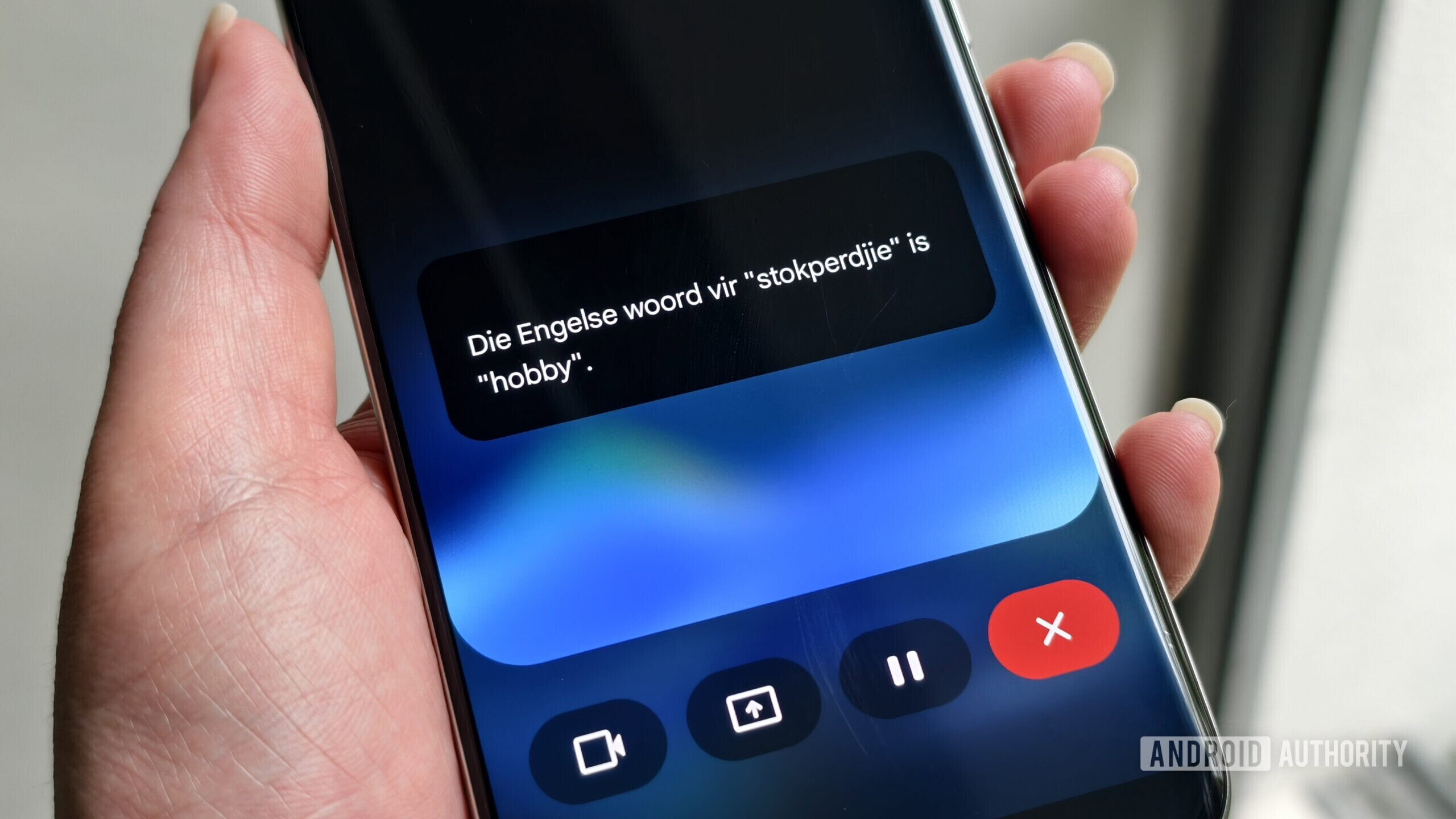
Gemini Live Gets a New Interactive Bar UI
Google has been consistently refining the user interface of its Gemini assistant to make interactions feel more natural and responsive. A recent discovery by tipsters on X reveals that Google is testing a novel UI for Gemini Live that turns the assistant into an interactive pill-shaped bar. This new design reacts to user taps and can even wave back during conversations, adding a layer of visual feedback that mimics human gestures.
The updated UI replaces the traditional full-screen or floating chatbot interface with a compact, dynamic island-like bar that sits at the bottom of the screen. When the user taps on it, the bar responds with subtle animations, and in certain contexts, it waves back as if acknowledging the user’s presence. This human-like responsiveness is likely designed to make the AI feel more engaging and less robotic.
What Is Gemini Live?
Gemini Live is Google’s real-time conversational mode for the Gemini AI assistant, launched as a direct competitor to OpenAI’s Advanced Voice Mode and Apple’s Siri enhancements. Unlike standard text or voice queries, Gemini Live allows for continuous, back-and-forth dialogue with natural interruptions and follow-ups. It was initially rolled out to Pixel devices and select Android smartphones earlier this year, with a focus on hands-free interactions in driving or multitasking scenarios.
The Live mode leverages Google’s latest multimodal models, which process speech, images, and context in real time. Previous iterations had a more static UI that showed a waveform or a colored bubble during speech. The new pill-shaped bar is a significant departure from that, aiming to blend seamlessly with the phone’s interface while providing visual feedback that the assistant is paying attention.
How the New UI Works
According to early reports, the interactive bar changes state based on user input. When idle, it appears as a small, semi-transparent pill. Upon the user tapping it, the bar expands slightly and triggers a wave animation. If the user waves at the phone’s camera, the assistant can mirror that gesture. This bidirectional gesturing is powered by the device’s motion sensors and camera feed, interpreted locally to ensure privacy.
The wave-back feature is particularly interesting because it blurs the line between a virtual assistant and a social entity. While Google has not officially confirmed whether this is a gimmick or a meaningful step toward more human-like AI interfaces, early testers describe it as charming and intuitive. However, the feature currently appears to be limited to the newer versions of the Gemini app on both Android and iOS, and it does not seem to be available for all Google accounts yet.
Limited Rollout and Compatibility
Tipsters TestingCatalog noted that the new UI appeared on only one out of ten accounts they tested, suggesting a highly limited server-side rollout. This is typical of Google’s gradual rollout strategy, where new features are first exposed to a small percentage of users before wider deployment, often following feedback and bug fixes.
Users who want to try it might need to wait for Google to expand the test. Therefore, Android users should ensure their Google app and Gemini service are up to date, while iOS users of the standalone Gemini app may need to check for updates as well. No official announcement from Google has been made yet, but the timing—just ahead of Google I/O 2025—suggests this could be a preview of something bigger to be unveiled at the developer conference.
Historical Context: Google’s UI Experiments
Google has frequently experimented with the Gemini UI. In early 2024, they introduced a floating “Gemini overlay” that replaced the old Google Assistant’s full-screen takeover. A major redesign earlier this month moved the conversation history to a sidebar and added rich media cards. The pill-shaped Live bar is the latest in a series of iterative improvements aimed at making Gemini feel less intrusive and more companion-like.
The company has also been testing various visual feedback mechanisms, such as animated dots, breathing lights, and now gestures. These are not merely cosmetic; user experience research suggests that responsive visual cues significantly increase perceived intelligence and trust in voice assistants. By adding a wave-back animation, Google is tapping into the human instinct to reciprocate gestures, fostering a sense of social presence.
Comparison with Competitors
Amazon’s Alexa has a “Follow-Up Mode” with a soft blue ring, but no gesture interaction. Apple’s Siri uses a subtle glowing orb on newer iPhones, but it does not respond to taps or waves. OpenAI’s Advanced Voice Mode has a waveform that adapts to speech cadence but remains purely functional. Google’s wave-back UI appears to be the first to incorporate explicit gestural feedback into a voice assistant’s interface, potentially giving it a unique hook.
This could be particularly relevant for smart displays and automotive integrations, where gesture recognition is already common. However, for now, the feature is limited to phone screens. The dynamic pill design also mirrors the “Dynamic Island” concept popularized by Apple, but Google’s version is interactive rather than just informational.
Technical Details and Future Implications
The gesture recognition likely uses the device’s existing camera and motion sensors, processed on-device via the Tensor chip on Pixels or Snapdragon Sensor Hub on other Android devices. This keeps latency low and ensures privacy, as no video data needs to be sent to the cloud. The wave animation itself is probably rendered using system-level UI components, which means it can be implemented without major app updates.
Looking forward, such UIs could pave the way for more expressive assistant personalities. Google could program different gestures for different contexts—for example, a small wave during a greeting, a nod when confirming an action, or a shake when the assistant cannot answer. This would make interactions feel more natural, reducing the friction of talking to a machine.
The limited test suggests Google is carefully studying user reactions before wider deployment. If well received, the interactive bar could become the default Gemini Live interface across all supported devices by mid-2025. The wave-back feature might also expand to include other gestures, such as thumbs-up or pointing, turning the assistant into a visual partner rather than just a voice.
Given the rapid pace of AI interface innovation, competitors will likely follow suit. Apple has been rumored to be working on a similar feature for Siri, and Amazon’s Alexa team is exploring embodied gestures for its Echo Show devices. Google’s move could accelerate the industry shift toward more human-centric AI interactions.
For now, users can only glimpse the new UI through leaked screenshots and videos. Those eager to experience the wave-back feature may have to wait for the official rollout. But with Google I/O just around the corner, a proper unveiling seems imminent. The event typically showcases major Gemini updates, and this interactive bar could be one of the key highlights.
Source: Android Authority News